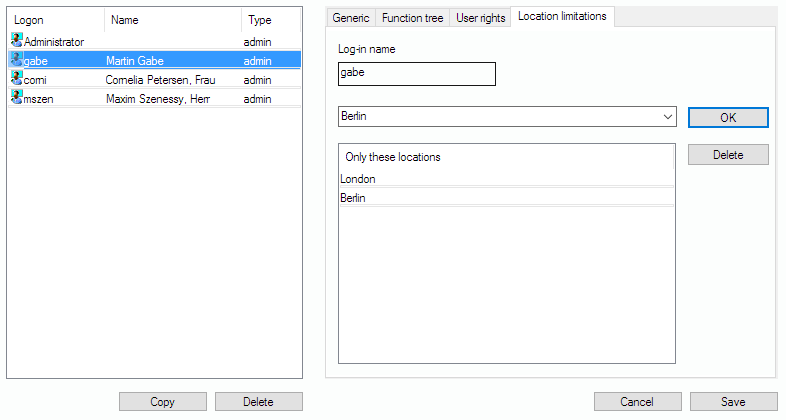
Under “Location limitations”, you can assign concrete viewing permissions for existing locations. If you add locations to this list, the user has explicit permission for those ONLY. You can use the drop-down field to choose an existing location, or you can just type in the location’s name. Afterwards you click “OK” in order to add it. You can delete an allowed location by highlighting it and clicking “Delete” afterwards.