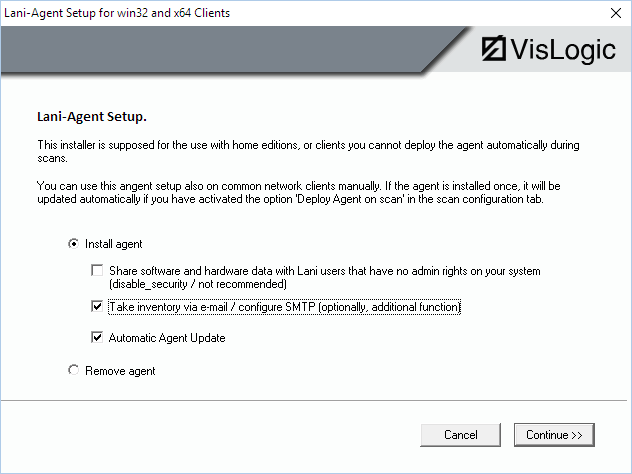
If you install the e-mail agent on field notebooks and send them “into the world”, usually, you are not able anymore to access them, update them or change something about the e-mail configuration. In order to solve this problem, we have prepared an internet server solution.
If you enable “Automatic Agent Update”, the agent needs a server with a script as described below:
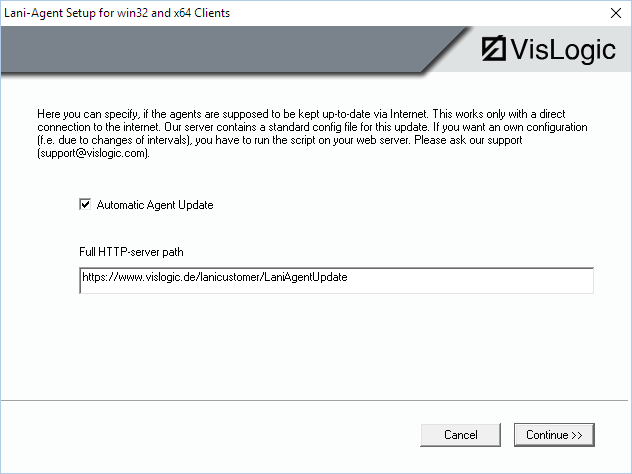
In order to establish the update mechanism you have to provide the https-path to an update script on a web server. The “update.cfg” has to be stored there. It contains all necessary details like the latest version number or e-mail configuration. You’ll find an sample “update.cfg” file in the folder “__LaniAgent_ManualSetupPackages”. The folder on the webserver must also contain the latest lani agent installer package (laniagent_win32_x64_v10000.exe). The update.cfg also specifies the expected MD5 sum of the installer package.
If you enable internet updates, the agents download the update.cfg from the webserver, using the path you have provided. They compare their own version and if necessary, they download and install the package automatically. The installation uses those parameters for e-mail setup etc. that are specified in the update.cfg.
After the update has been successfully installed, the agent collects its inventory and sends its e-mail (with inventory EXP file attached) as configured by the parameters.
Important: The automatic update always uses the parameter from the update.cfg for the installation. The script and the package have to be stored to YOUR web server and they need to specify YOUR individual parameters.