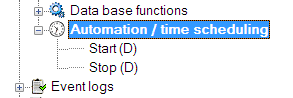
By double clicking (D), you can activate time scheduling on the server-side.
Time scheduling is required for all scheduled tasks, e.g. regular scans, data import and export, e-mailing of automated reports etc. You configure time scheduling in the frontend (see 6.9.5 Automation / Time Scheduling). If the scheduler is active, you can clearly see an active clock icon in the top bar.