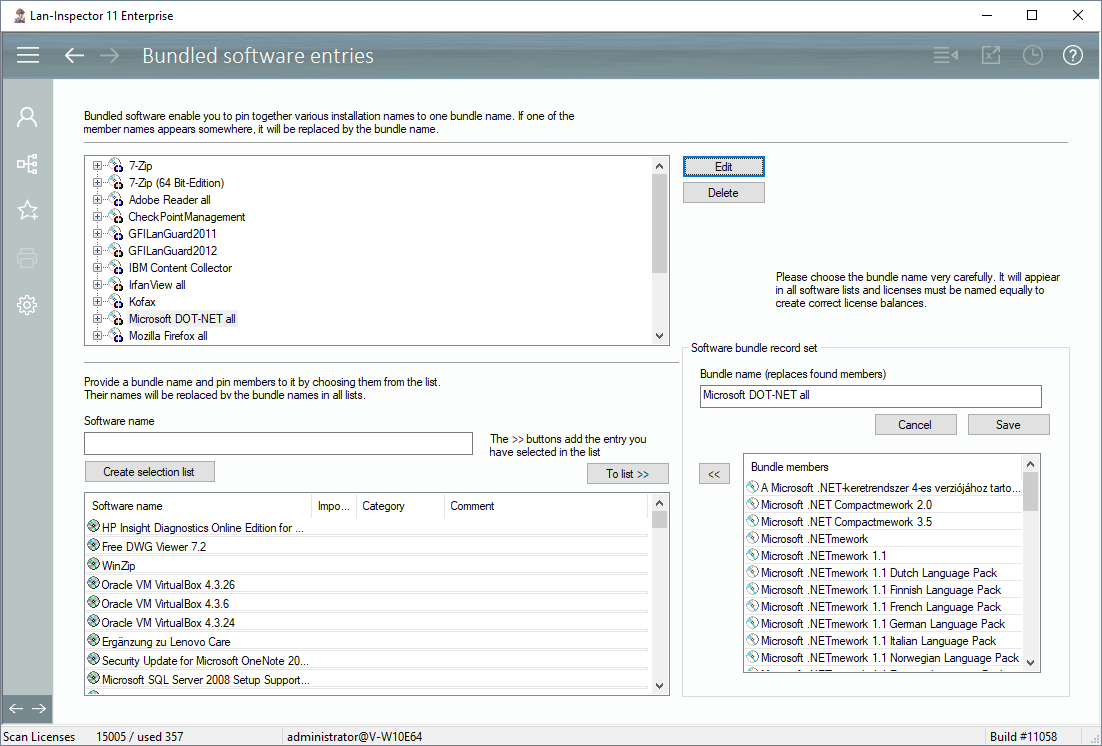
If you have several different software names in your network specifying one and the same product, you can easily bundle them. An example for this is „Mircosoft Dot Net“ which bundles all existing dot-net versions in the network to one master entry. The bundles are reversible. At any time you can click on the option “Resolve Bundles“ in different views in order to display all bundled entries instead of only the master entry.
The tree structure at the top contains all existing bundles whose children are the corresponding software members. You can select a bundle and click on “Edit“ or on „Delete”. If you edit it, the configuration appears at the bottom right. Then, you can delete or add members from the catalogue on the left. Don’t forget to save your changes.
If you want to create a new bundle, enter the new master name in the field “Bundle name” and add members that are supposed to be linked to it. Click on “Save” then. The new bundle will appear in the upper tree structure.