You might remember the 20 data fields every computer and inventory object in the data base can use to store record set specific data. Every license record set has 6 fixed field and as many dynamic fields as you want. Once you set these fields, they are valid in all license record sets. You can store whatever you like in these fields. They will be accessible in reports as columns later on.
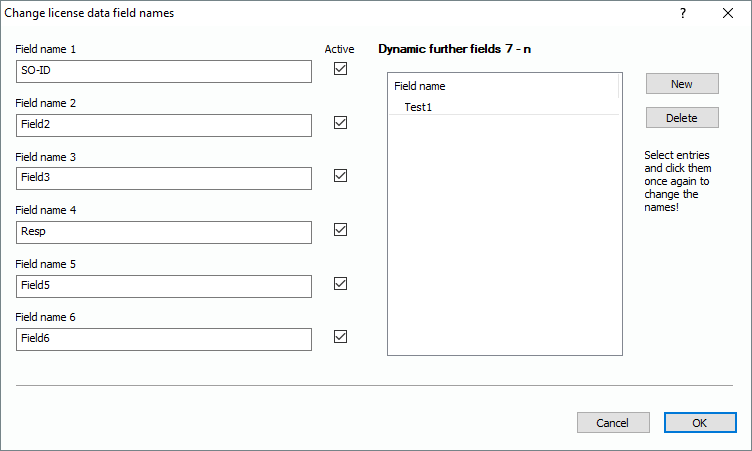
By using the tree of functions and selecting “License+Software Management\More\Chance license data fields“, you will reach the following dialog:
You see the 6 static fields and on the right side, there are the dynamic ones. You can name them globally, which will effect all license record sets. The dynamic fields can be created by clicking on “New”. You can delete them by selecting one and click on “Delete”. If you want to rename them, just click on one line for one second. Same procedure as if you wanted to rename a file in windows explorer. If you delete fields here, please keep in mind that this effects all license record sets. Anything stored in the deleted fields will be erased. Only restoring a data base backup can get them back.
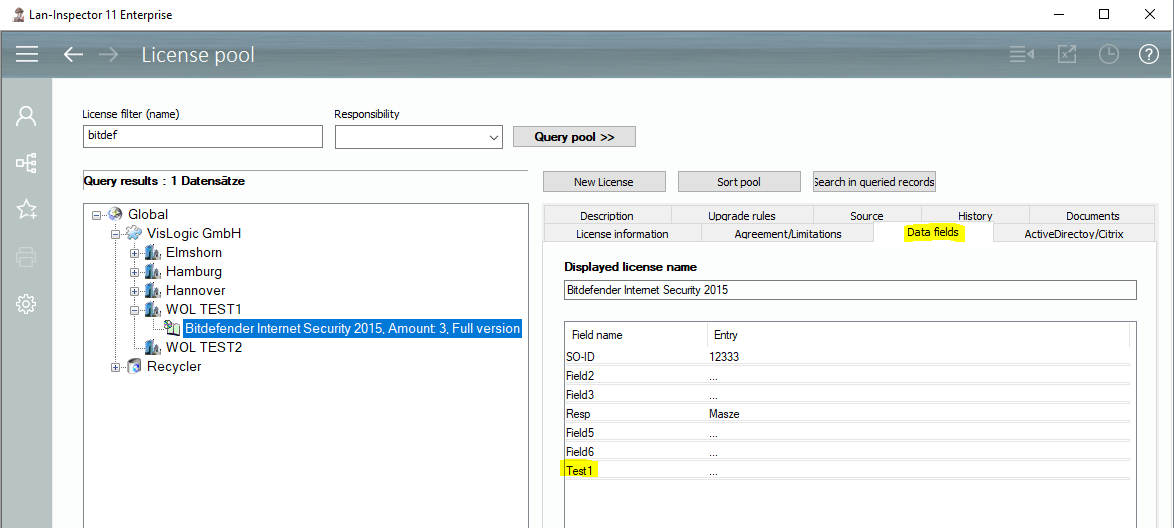
You will find these license data fields in the license pool after having selected the record set of a license.