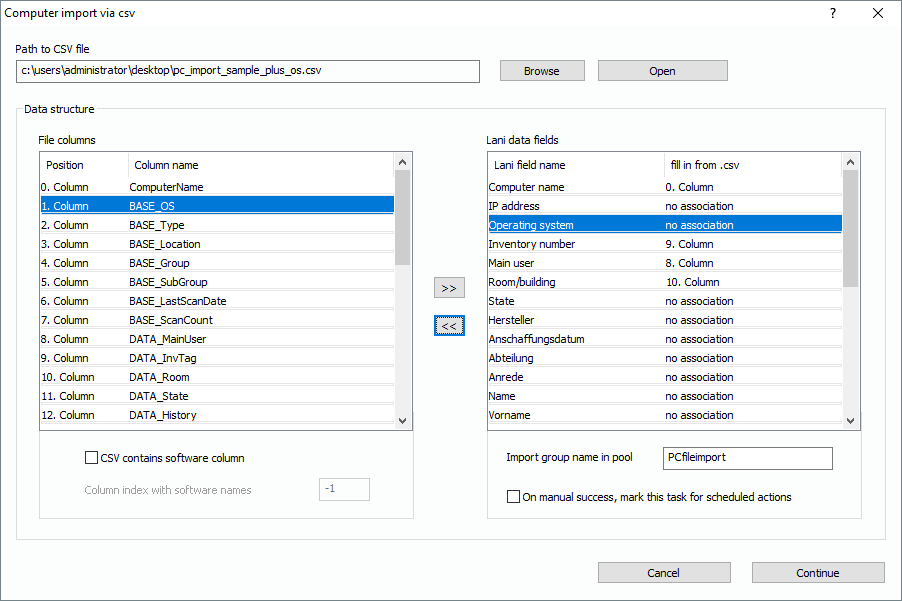
If your csv file contains only computer related data without software information, you don’t need word matching functions. You will learn more about them in the next sections. The picture shows the import interface for regular imports of computer records without software.
The available fields from the csv file have to be associated to the fields in the Lan-Inspector data base. You achieve this by selecting the fields you want to associate and click on “>>”. If you want to delete an association, select the field on the right and click on “<<”.
In this case the csv doesn’t contain any software, so you don’t activate the option “contains software”. If you scan imported computers later on, the software information will likely be overwritten anyway by real-time data.
As you can see, the field “Operating system“ has no association. Because no information about it will be imported, the computers will appear in the pool with an “Unknown Operating System” and an icon showing a question mark.
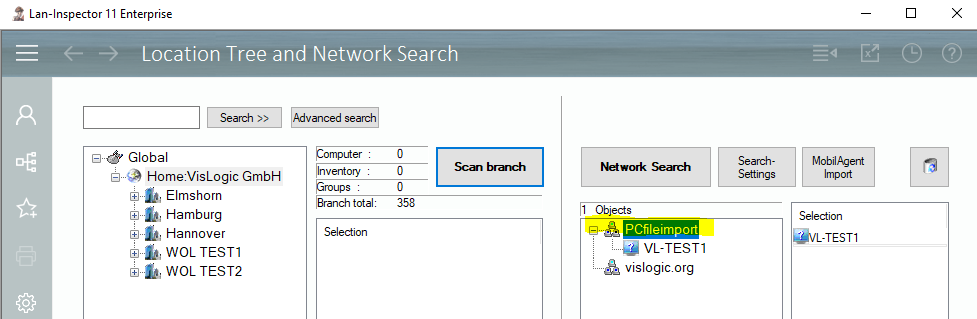
You will find the result in the view „Location Tree and Network Search“: