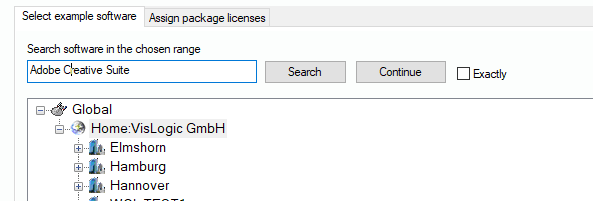
To create a new package license, please follow these steps:
1. Search for the main installation / the main product. If you know the exact name string, you can activate “Exactly”, otherwise the search function will match on statistics:
2. If the search hits an entry that matches the pattern, it will display the computer and the product:
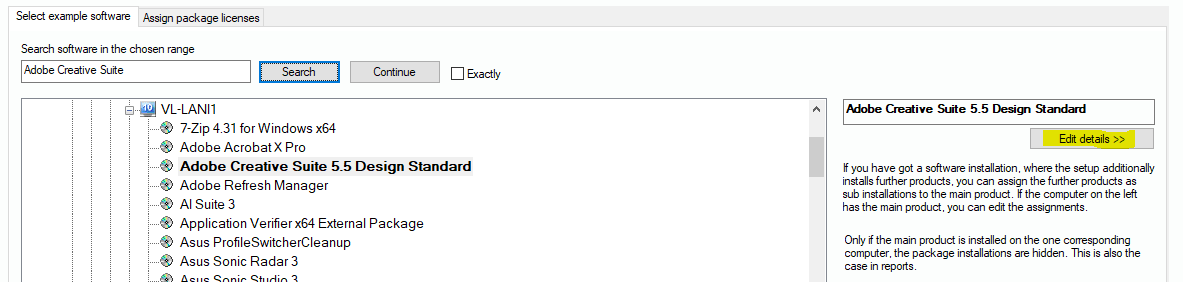
If the result is not the one you expected, you can click on “Continue” to go on with the search.
3. If you have found your product, you click on “Edit details >>”.
4. The system switches over to the association window. Here you see the list of installed products on the computer that also has the main installation. The main product has already been set.
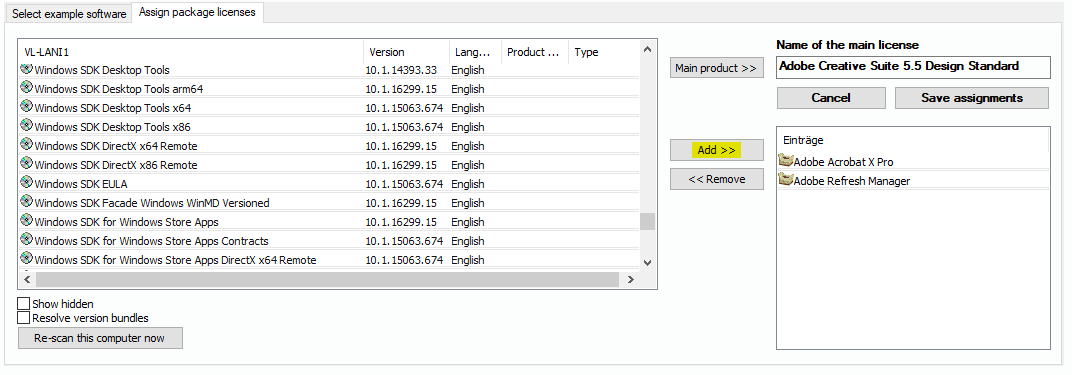
5. Click on ”Add >>“ or “<< Remove” to manage the associations. You can also select another main product if you think the choice was wrong.
6. Make sure to click on ”Save assignments“ when you have finished the work on the package.