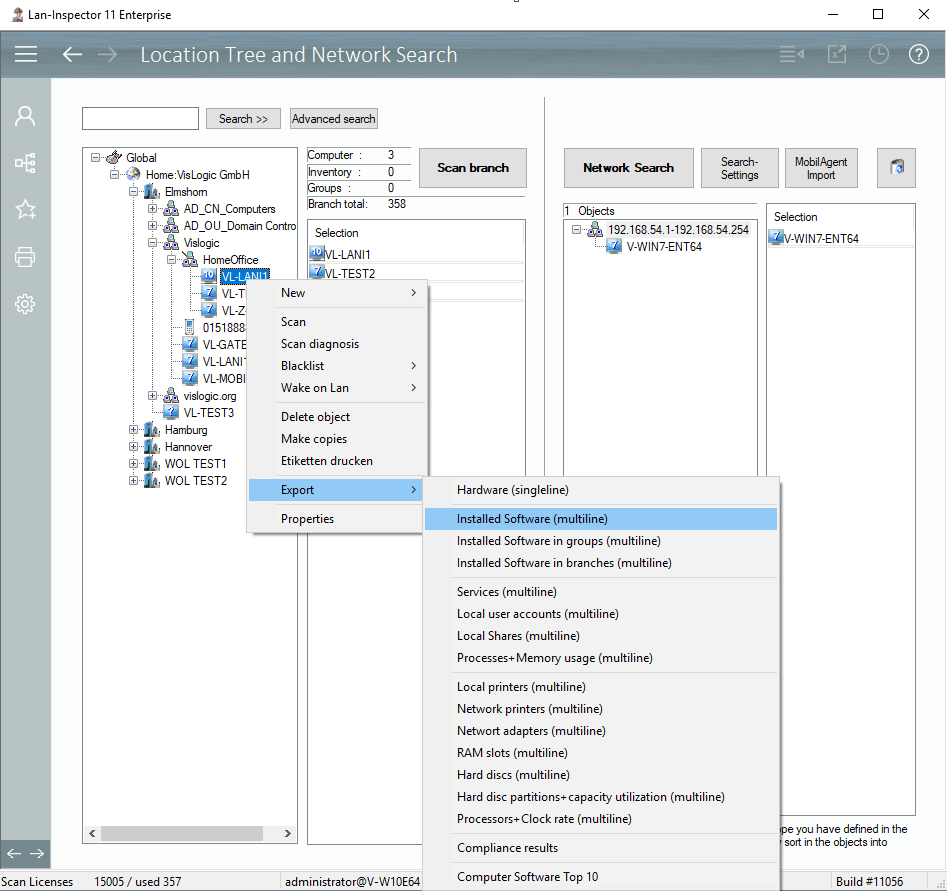
The Location Management allows you to export computer data from the perspective of the location tree’s branches. If you need lists of data of specific departments in an Excel sheet, use the export interface via the context menu of the location tree. Select the desired branch, right click it, and select the desired export mode.
„singleline” means that each machine has only one line in the table. The Lani processes multiple outputs like, for example, several monitors in separate, numbered columns (e.g. Monitor1, Monitor2, etc.). The Lani scans the data beforehand and determines how many numbered columns will be required for single data fields.
„multiline“ means that several lines will be required per computer data set due to specific multiple data links. In reality, the CSV-file will always start with the name of the computer. If there are several lines with this computer name, the following columns still refer to this one computer data set.