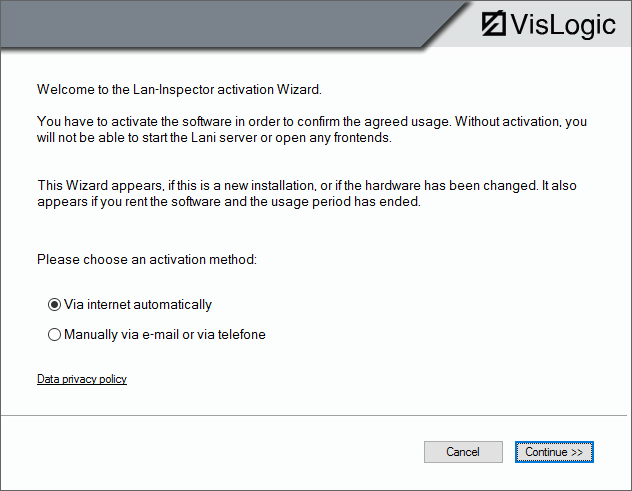
If you do not have a USB dongle, an activation wizard will pop up. The activation process consists of only a few steps:
1. Choose the activation procedure (Internet or e-mail / telephone)
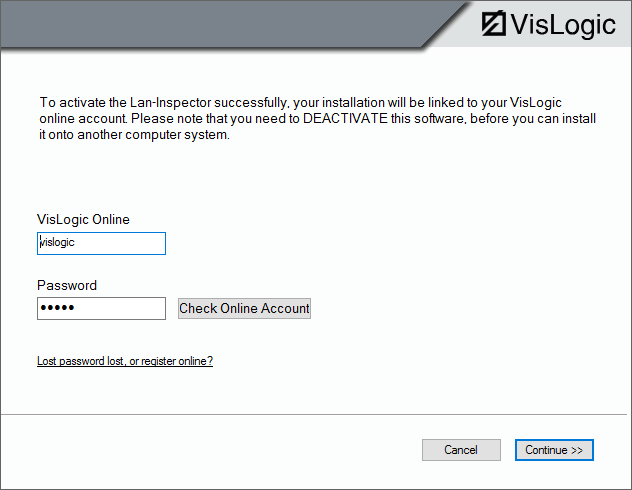
2. Provide your VisLogic account name and password (see 4.1.2 Full Version requires Activation Process). You can also click on the link “lost password or register online” and follow the instructions on the web site.
3. If you continue the activation process will take place if an internet connection is available. If not, a dialog will pop up, asking for proxy parameters.
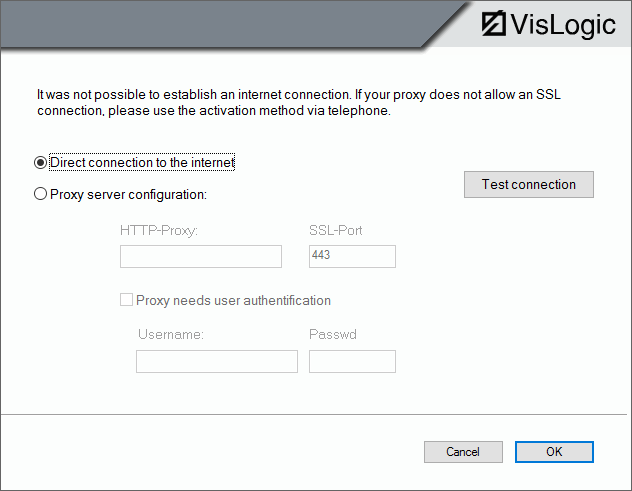
4. We highly recommend making a proxy connection possible. Otherwise you’d have to activate manually, having this nice one here:
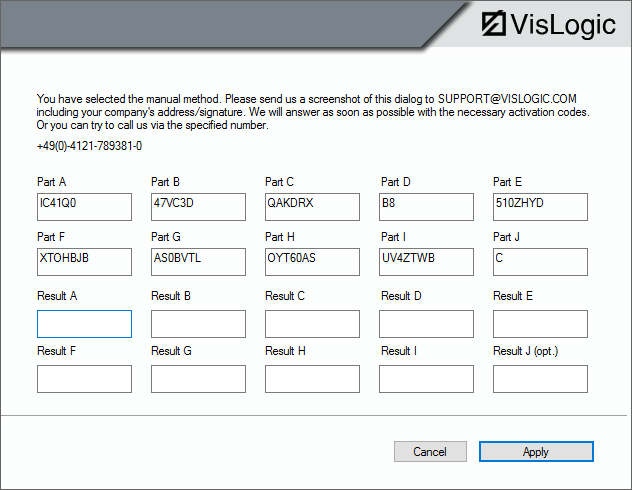
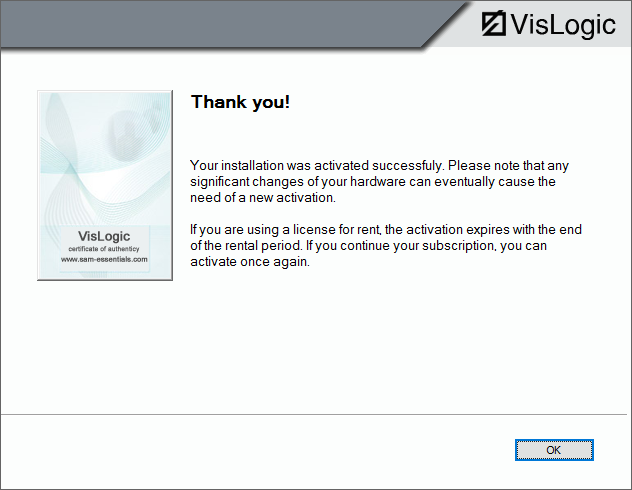
5. After the codes have been accepted, you’ll receive a confirmation dialog. If your hardware changes significantly, the product has to be activated again.
If you want to install the product to another computer, please be sure to de-install and de-activate first. The deactivation process is almost the same as the activation one described before.
PLEASE NOTE: If you don’t deactivate the installation by uninstalling and completing the deactivation process, you won’t be able to reinstall it again and your purchased licenses cannot be used anymore.