Using this function, you can let the Lan-Inspector calculate hash sums of files with known file paths. This function has no special meaning for your license management. For the hash sums can only be calculated of files with specified paths, the function has only a small range of applications. If needed, it can be extended. Please ask us if necessary.
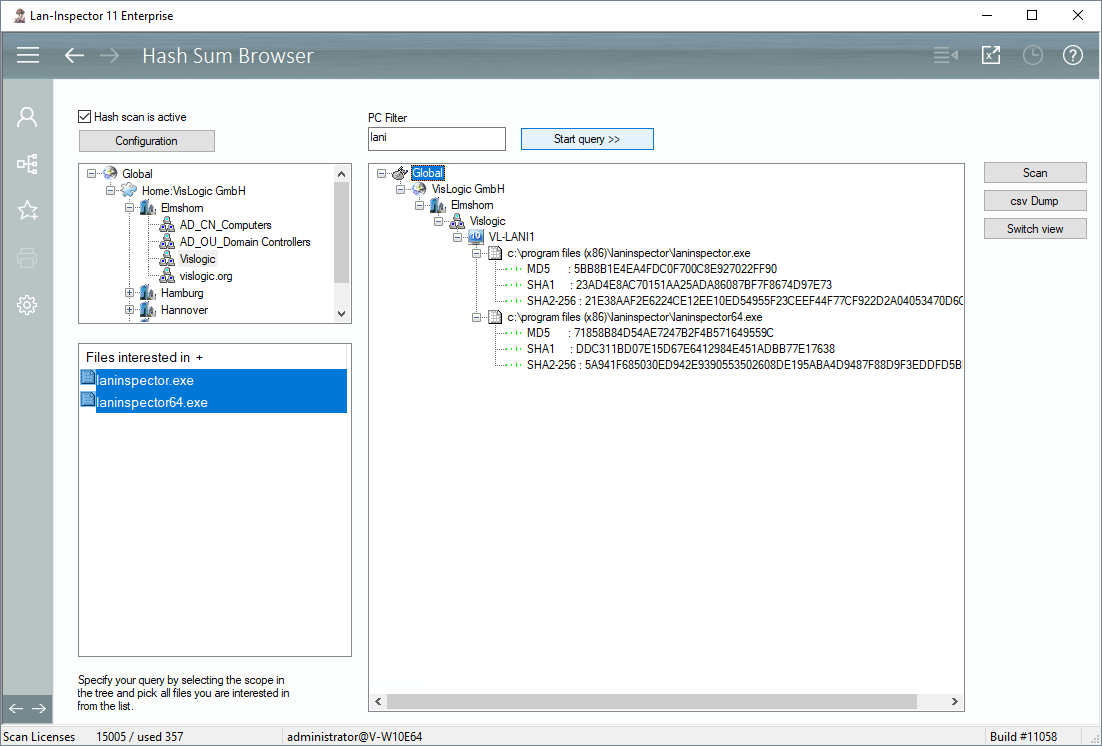
To specify executable files (which will appear in the list at the bottom left), click on “Configuration”.
Only if you have specified exe files and if the hash sum scan is set to “active”, the next scan will calculate the hash sums for the files on the local hard discs. Of course, this can only happen if the files exist there.
Select the scope of your query by choosing a branch in the location tree. Afterwards you select the exe files of interest in the list below. If needed, you can also set a simple name filter for the names of the computers. Click on “Start query >>“ to perform the task.
The result shows a tree that contains the location and all computers on which the files have been found. One level deeper in the resulting tree you will find the exe files with the corresponding hash sums.
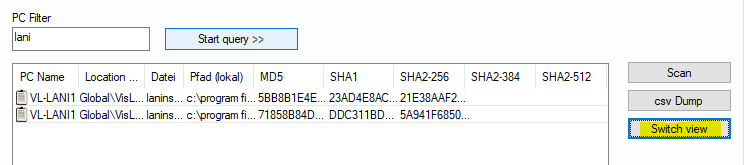
You can also swith the result to display a list of PCs. Click on “Switch View“ in order to do that.