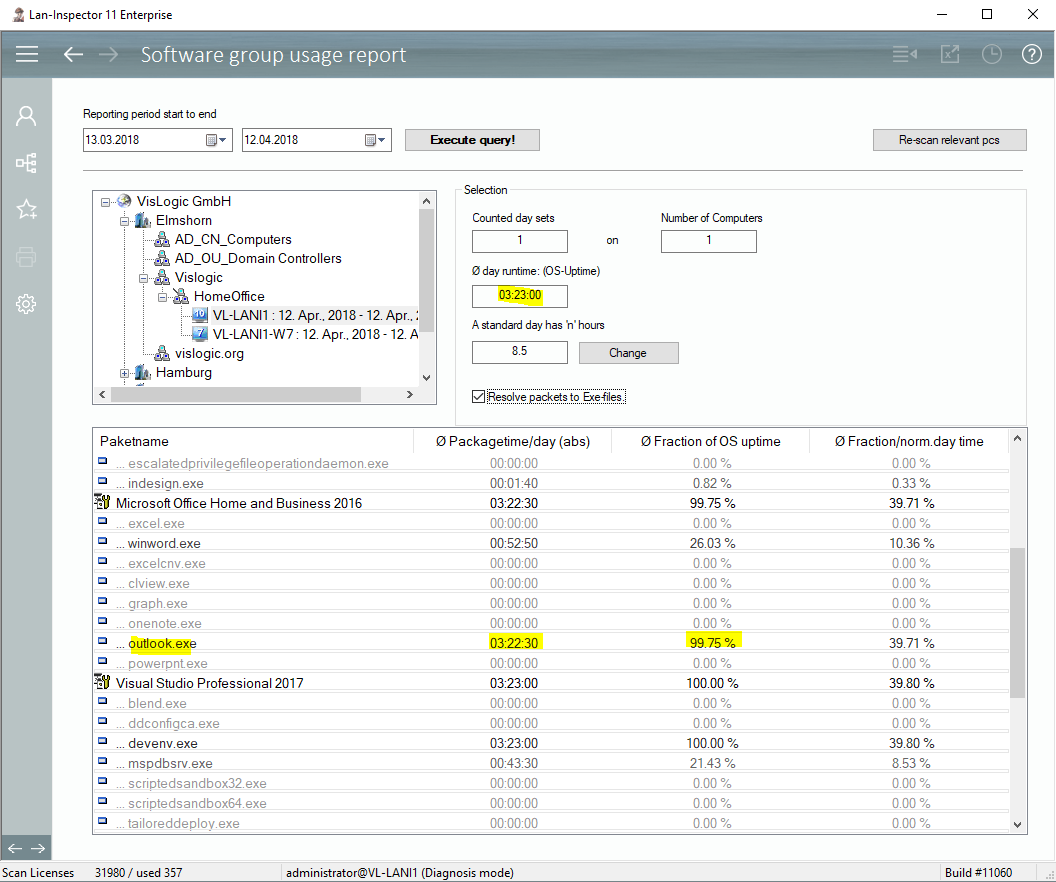
The core of the usage analysis consists of the monitoring packages. You pick those products of interest that you find in your network. Usually the Lan-Inspector knows the product and its components (exe-files), and offers this for you can create a monitoring package from the exe files. After you have activated and saved the package, you can scan the computers in order to submit the configuration. In the same moment, the monitoring of your exe files, i.e. of the product starts. The collected data consists of the time per day, the computer is switched on and the time each exe of the package runs as a process.
The work is done by the Lan-Inspector Agent running on the client PC. Each minute the collected data is stored locally. When you scan the PC again, the information will be collected and written to the Lan-Inspector data base.
We recommend that you create the packages, scan to submit the configuration and let it run for at least 7 days.
The data processing of the raw monitoring data sets is secured against days lost. The values you get are always average values, depending on the number of days you look at. If you report a complete group of computers, it doesn’t matter if one of them was switched off for some days.
It is not necessary to define a period of time for the monitoring. Once, the configurated packages have been submitted, the data will be collected continuously on the clients, even if they are not connected to the network. This flexibility is unique. (after all weaknesses have been removed from the algorithms :-)
Important note: Please keep in mind that the usage analysis only works as a whole configuration. If you change one of the packages, the complete configuration of all packages will be submitted, which resets previously collected data. So, it’s best to think about the needed reports, define the packages correspondingly, and let it run.