As told before, the license pool contains license records from the perspective of the purchaser. In the license balance, all licenses will be calculated adequately for the comparison. This can lead to different counts of licenses than you know from the pool. Using the itemization function, you can display what license records the numbers derive of.
„Microsoft Office Standard 2010“
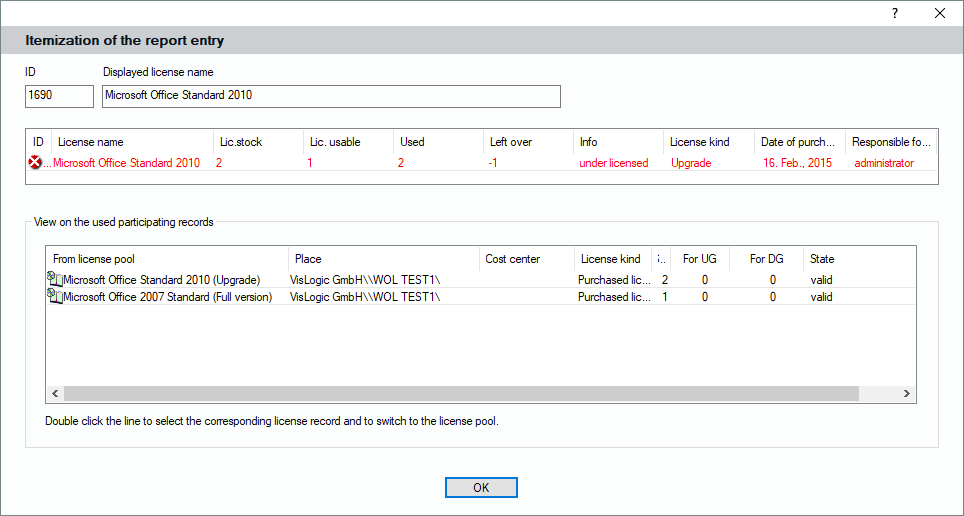
Right-click on this entry and select the itemization function. The upcoming window shows quickly how the numbers can be derived:
The picture shows clearly how the reported license state can be explained. The Office Standard 2010 license has 2 licenses, but it is an upgrade license. To be a valid and legal full license, it needs the same number of base licenses. However, only 1 base license is available. Therefore, the final license balance shows only 1 full license that faces 2 installations. The example shows unter-licensing. You can double-click on one of the license records to jump directly to the corresponding entry in the license pool.