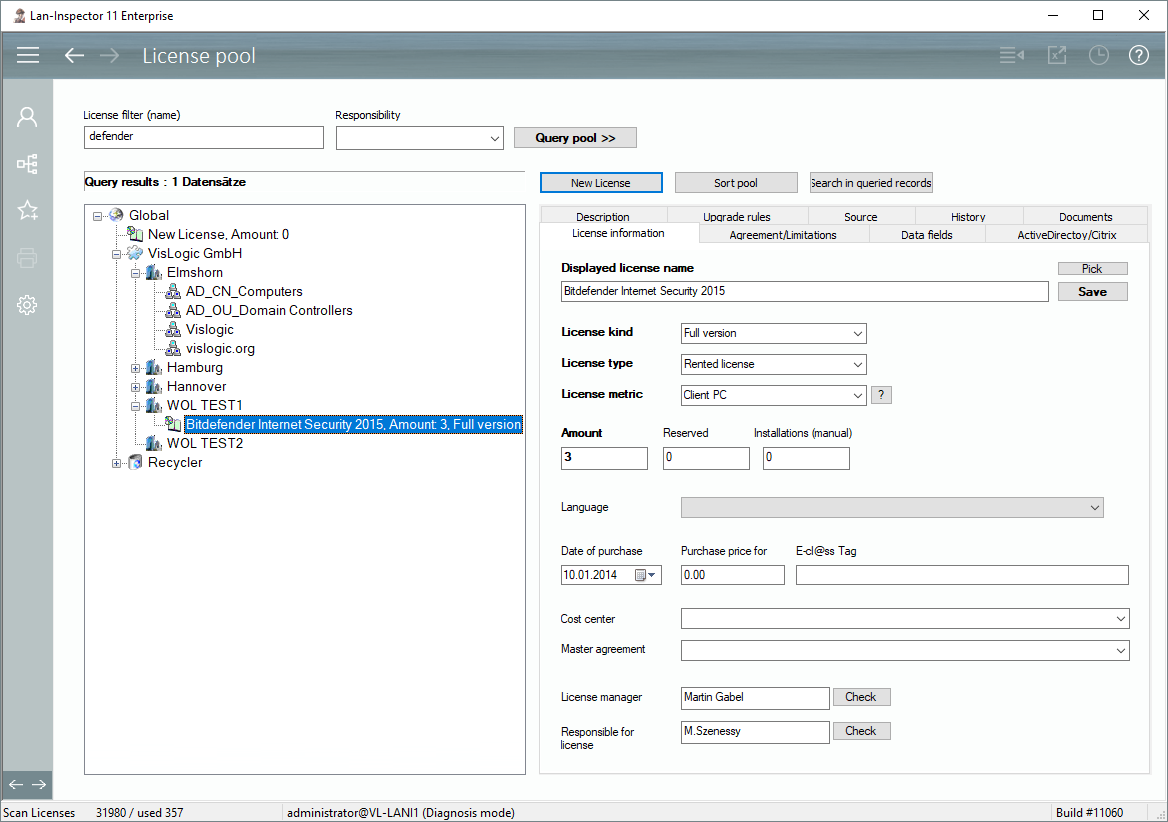
As soon as you have selected a license, its properties will appear on the right side of the window, sorted into several tab dialogs.
This is the main page for entering the name and the basic properties, such as count, reserved and manual installations. Count refers to the number of licensed devices (metric “Client PC”). However, you can also use “Count” in other metrics. “Reserved” means that the Lan-Inspector will subtract a manually entered reserve from the existing licenses before comparing count with stock. This field applies for Citrix Terminal server Support described below. “Manual installations” allows you to provide an installation count that is not available via network scans.
Additional properties you can maintain here are, for example cost center, master agreement, product responsibility, etc.