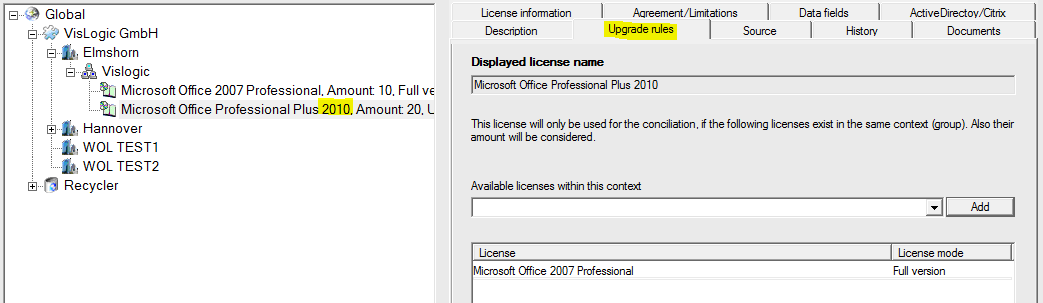
The different software producers follow most various upgrade policies. There is a main principle though. Usually an upgrade license is worth nothing without the proper base license. Only the set of a base license and the proper upgrade license build a full license of the newer product version. This is also the case with cross upgrade licenses. You need a base license (from one producer) and an upgrade license from the upgrade provider. What you need to do is a way of mapping this principle in a license record. To demonstrate this, please have a look at the following picture:
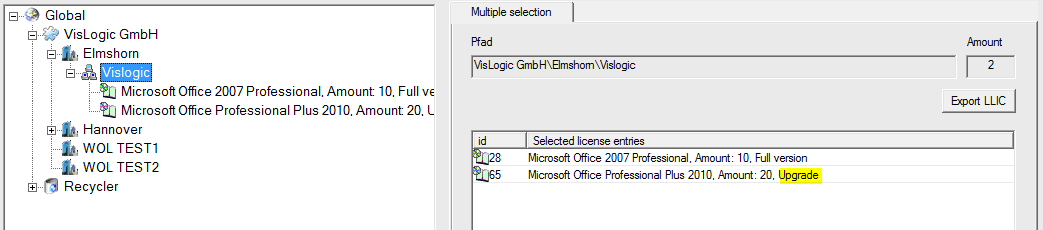
The group „VisLogic“ contains two license records:
The first package is a set of ten Office 2007 Professional licenses and the second one is an Office Professional Plus 2010 including 20 licenses. Unfortunately, Office 2010 is merely an upgrade requiring the 2007 Professional Edition as base license. As a result, the license balance will show only 10 full version licenses for 2010 Professional Plus available, because only 10 base licenses are present.
.
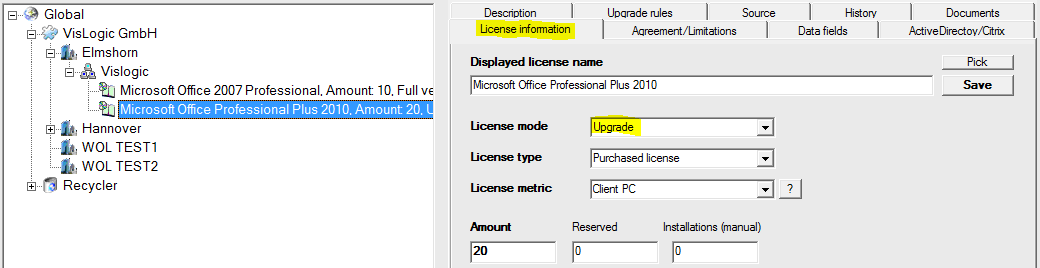
You can mark the Office Professional Plus 2010 license as being an upgrade license in the main information tab of the record. Then you switch to the “Upgrade rules” tab and add “Microsoft Office 2007 Professional” as being the needed base license. You can also add other products of possibly other producers here to build cross upgrades. Note that these two records need to be in the same branch / group.