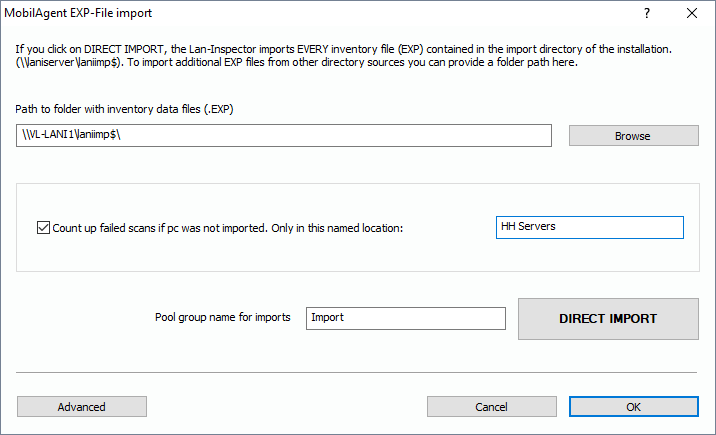
There are several components of the Lan-Inspector system that create EXP files for storing inventory data. They contain all inventory data for one computer that has been scanned at a point of time. EXP files can be imported into the Lan-Inspector data base. In the function tree, you can choose the branch “Inventory Management/More/MobilAgent EXP-File Import“ in order to open up the dialog for manual EXP import .
If you start an import process by clicking “DIRECT IMPORT”, every EXP file in the following folder will be imported to the data base:
C:\Program Files\Lan-Inspector\Import
This folder is also shared in the network as
\\Lan-Inspector-PC\LANIIMP$
If you haven’t installed to the standard folder, the path is correspondingly different. The Laniimp$ share is created during the setup process automatically. The share grants write-Access to “everyone” on the network. EXP files use a secure cryptography algorithm to make sure no one can read or spy on them. These credentials are needed if you configure “Scan on Logon”, see also 6.9.3 Scan on Logon / Script Generator | „Menü: Administration and Settings/Scan on Logon“.
The import process reads all stored EXP files, checks them for actuality All files stored in this folder will be read, checked for currentness of data and afterwards sorted into the data base. If you have stored EXP files somewhere else in the network, you can provide a path to that folder, here. The import process begins with copying all EXP files to the import folder and continues importing them.
Furthermore, you can define a group in the pool of found computers where new PCs will appear. If imported EXP files belong to computers that are already member of the data base, the system decides which data is the latest and merges data correspondingly.
After EXP files have been imported, the system deletes them from the import folder automatically.