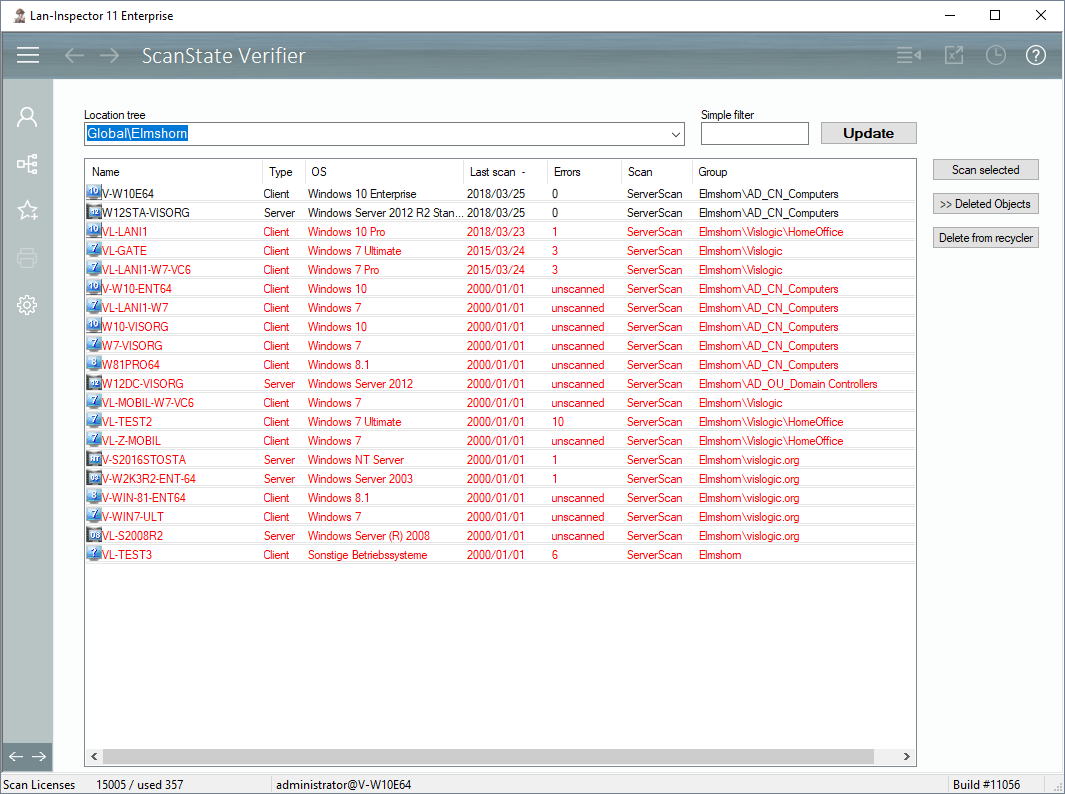
The quality of your inventory data base depends on how up to date the records are. This is the reason why you should consider repeating inventory scans of your network often and continuously. The “ScanState Verifier” helps you check the date of the last scans and re-scan directly if the scan is too old.
Use the dropdown field below location tree and choose the level you want to have a look on. Additionally, you can set a simple name filter to focus on certain computers. Click “Update” to get the records like in the picture.
Now you can select entries or click on the column headers in order to sort them in a way that helps you. Select the computers that are not up to date and then click “Scan selected” to try to update them. You can also delete them back into the pool, or completely erase them from the data base.
The ones in the picture that show a date of the year 2000 are new PCs that haven’t been scanned at all, yet.
If you cannot scan all the same PCs all again, you can clean up those old objects, because they may have been physically removed from the network
.