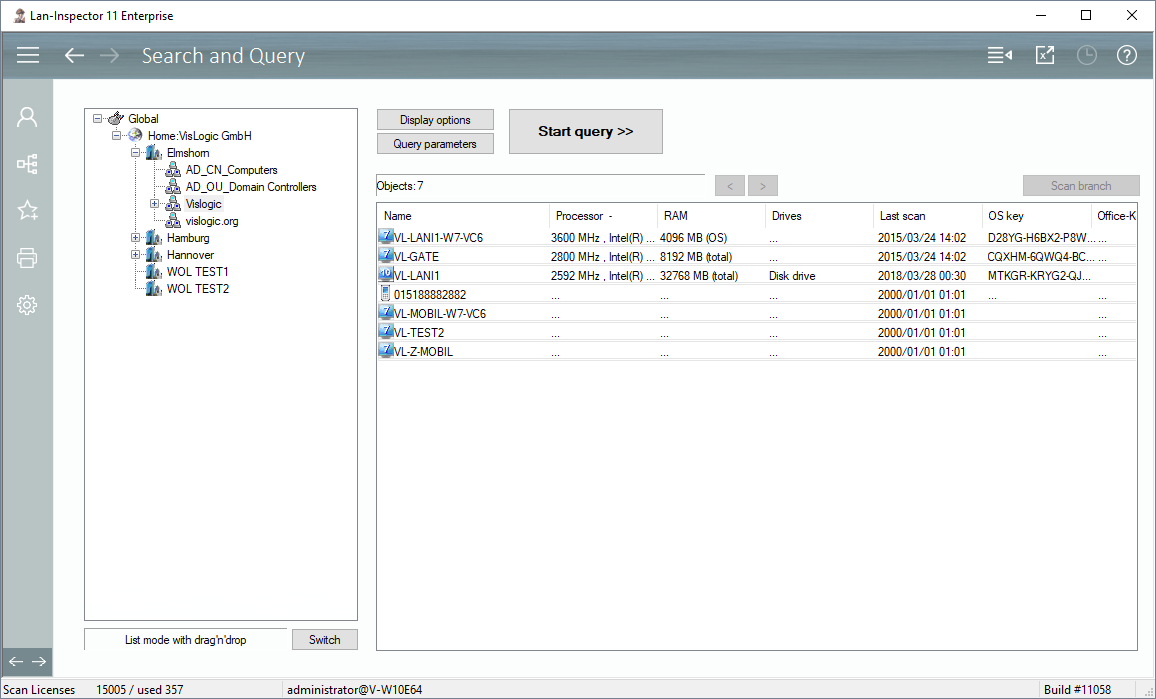
In this data view you can execute multiple queries on the inventory data base. Use the location tree on the left side to set the scope of your query. All objects of the chosen branch will be included in the query. Below the tree there is a button “Switch“ that enables you to choose between a sheer list with your result or a tree containing additional information. If you choose tree, you have the additional information, but if you choose list, you can use the Excel-view button in the top bar or create a report template.
After you have queried a list of objects, you can either click on “Scan” to scan all selected PCs again, or you also can drag your selection to another branch of the location tree.
To specify the columns or the content of the resulting tree, you can click on “Display Options”. In order to set the parameters of the query, click on “Query parameters”.