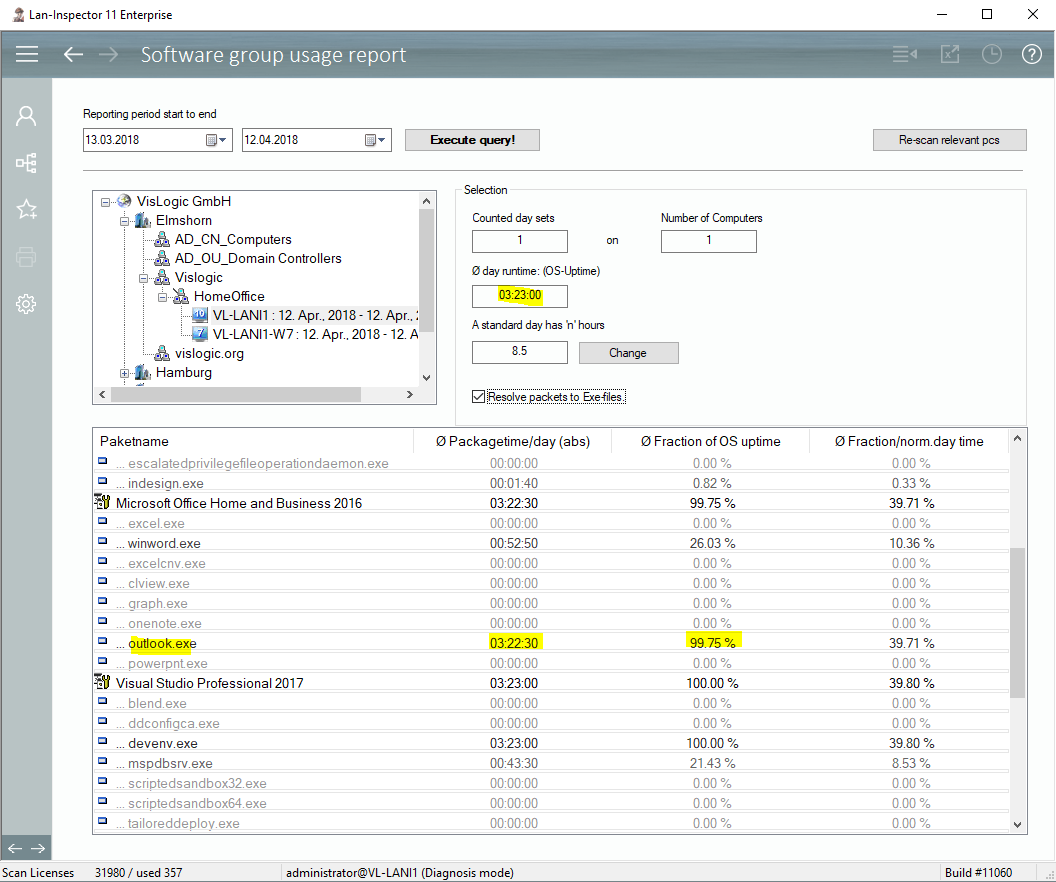
You can query the usage record sets for a specified period of time from the server. Provide start time and end time and press “Execute Query”. If there are record sets the corresponding computers will appear in the tree of locations. You can click on groups to get average results of all computers in that group. You can also click on single computers. It makes sense to have a look at a single computer in order to demonstrate the functionality:
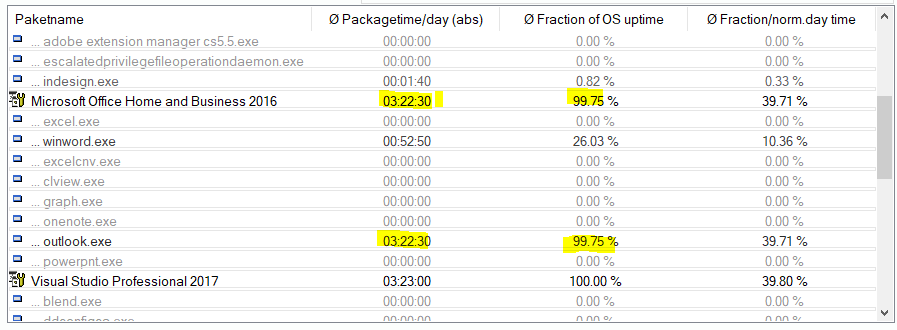
The report displays how much time the monitored exe files ran as processes. The relation between exe runtime and daily uptime of the computer is expressed in percent as well. If the computer was switched on for 3 hours and 23 minutes (like in the picture), “Indesign.exe” ran only for a very short time… maybe it was started and closed directly afterwards.
Winword.exe ran 52 minutes. The value for the package “Office“ was 3 hours, 22 minutes 30 secs, because outlook.exe ran for that period. The product “Office“ ran almost the whole uptime of the computer, 99.75% of it.
You can also define a norm daytime your employees are supposed to work. “Fraction/norm day time” shows, how long an exe file existed as a process in relation to a 8,5 hour day.
This was the description of one day and one computer. You can now report this for the whole network by clicking on the groups. Like this you build average usage values. You can also widen the period of time if you like.