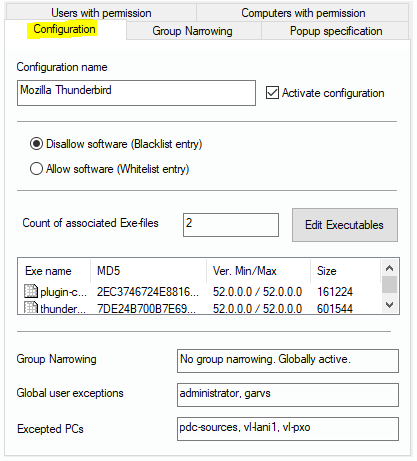
This tab dialog shows the name of the configuration and displays if the record is active in the network. Furthermore, you can decide whether it is a blacklist or a whitelist entry. If you globally have set the configuration to blacklist, and you create a whilelist entry here (and vice versa), it can be saved, but you cannot activate it.
In the middle you see a list field that contains all product components, including known facts about them. Each record set of the blacklist or the whitelist is corresponding to a complete software product. It can, of course, consist of more than one exe files.
To modify the parameters that help identify the product and its exe files, you can click on the button “Edit Executables“.