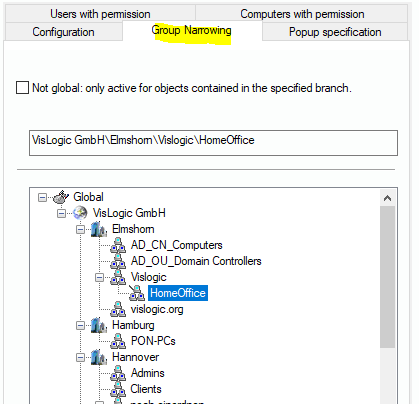
You can bind the software suppression to a special group of the location tree. The suppression of a software start will only take place if the corresponding computer is member of the associated group.
To activate this feature for the configuration record set, visit the tab dialog “Group Narrowing”. Activate “Not global” and select the proper group. Don’t forget to save the record.
Please keep in mind that the computer has to be scanned to receive the changes in configuration. If you move the computer to another group to disable the configuration for it, it needs to be scanned as well.