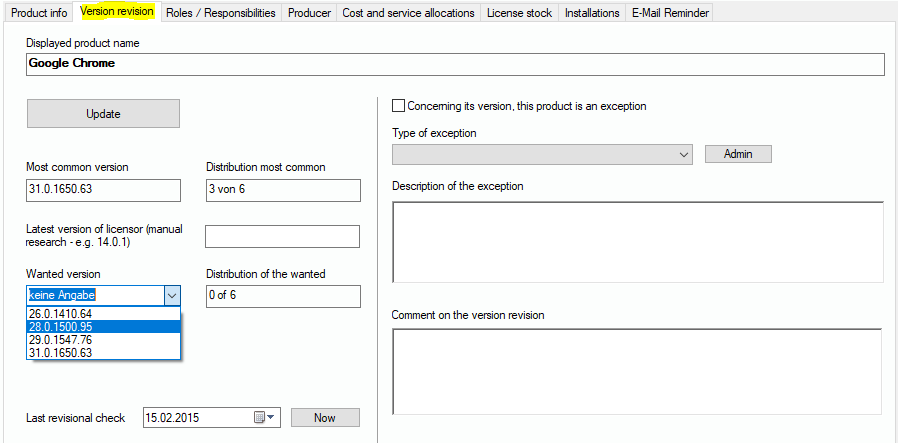
This tab dialog shows you what versions of a product are used on PCs of your network. If you click on “Update”, the statistics for this product will be re-calculated. The drop-down list „Wanted version“ contains all available versions. You can choose the one, you prefer or you want to set as the destination version for the moment. After you have chosen the wanted version, you can update the statistics again and see how large the part of PCs is that run that version. Quite many companies follow “n-1 politics“, which means that for security and other reasons, always the latest or at least the latest -1 version is to be used in the network.
Additionally, you can tag the product to be an exception and that it is not part of the version policy. Again, you have a drop-down list where you can specify the “type of exception”. If the type is not listed, you can enter a new one by clicking on “Admin”. Any changes you make to the lists are available afterwards in all record sets.
.