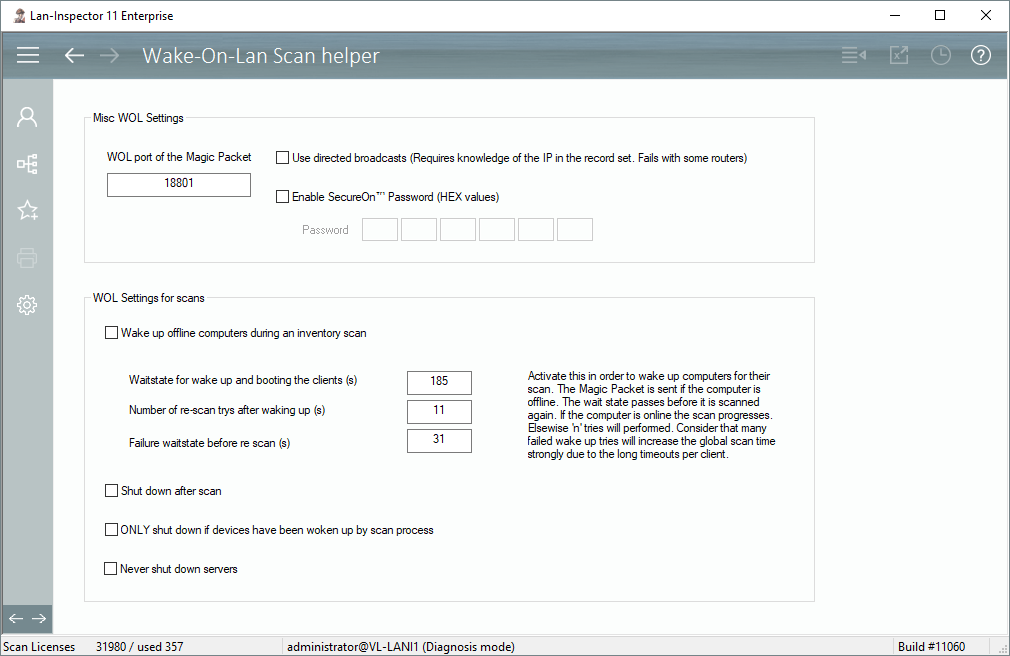
Next to some basic settings like “directed broadcast” or the deprecated SecurOn method, you can set the parameters for the WOL scan helper here. The helper functions enable WOL for scans of client PCs. If a computer is offline, the scan engine sends a magic packet to wake it up, then scans it, and if you want, it shuts it down again. For this procedure a couple of settings have to be considered in order to make it work. Things like how long the scan thread will wait for the local boot procedure until it tries to scan after a WOL call, how many scan-tries will be performed if the scan after a WOL call fails and how long will the thread wait after a failed scan in this complete process.
You can specify whether the woken-up PC is supposed to be shut down after a scan. Please be careful about this, because if you set this option alone, all PCs will be shut down after they have been scanned. If you set the next option “ONLY shut down if devices have been woken…”, only the previously woken-up PCs will be shut down.
Please note, long timeouts and multiple tries to wake up a computer in order to scan it, are quite time consuming. If the wake-up procedure fails, the timeouts run through completely.