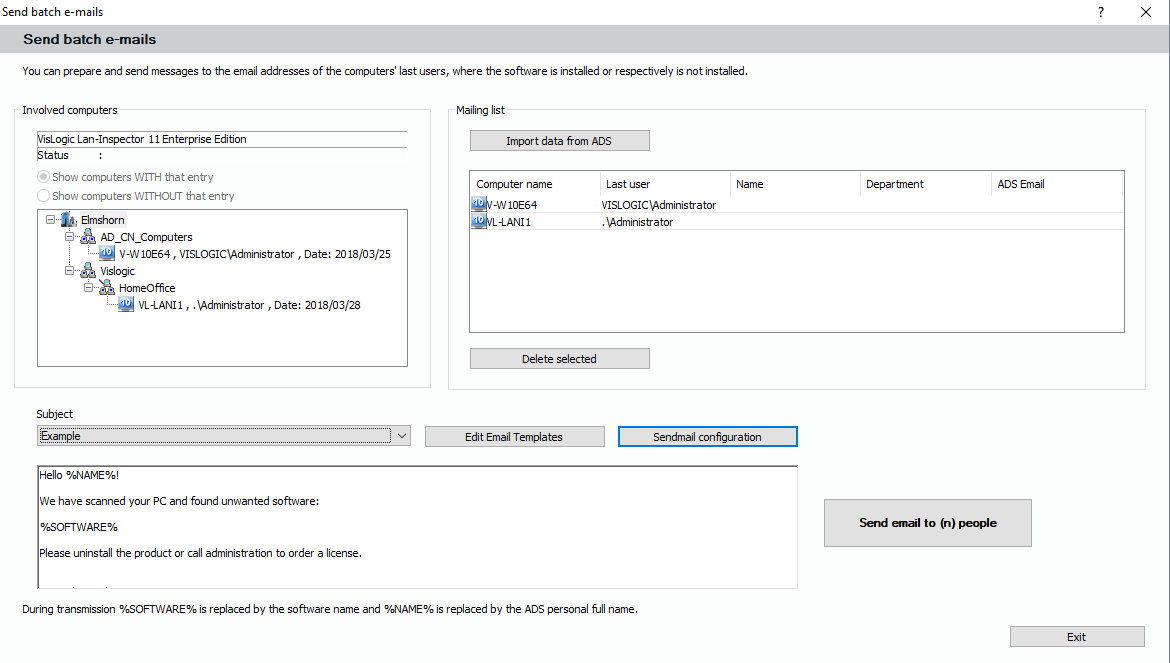
If you want to send e-mails to the last users of PCs in your list, you can use this function. After you created a list of PCs in “Software and Device List” and chose the tree result, you can select a branch in the result and click on “Send E-Mails”.
The following dialog is a variation to the one in “Object Detail View”, see 6.3.5.4 Button Send E-Mail. On the left side you see the result tree from “Software and Device List”. The list to the right contains the entries of “last user” from each PC of the result. If you have ADS Access, you can now retrieve the E-Mail information from these accounts by clicking on the button to the right.
In the text field at the bottom, you can again choose mail templates you want to send to each user of the list. You can also use the variables described in 6.3.5.5 Variables of the E-Mail Function in the template text.