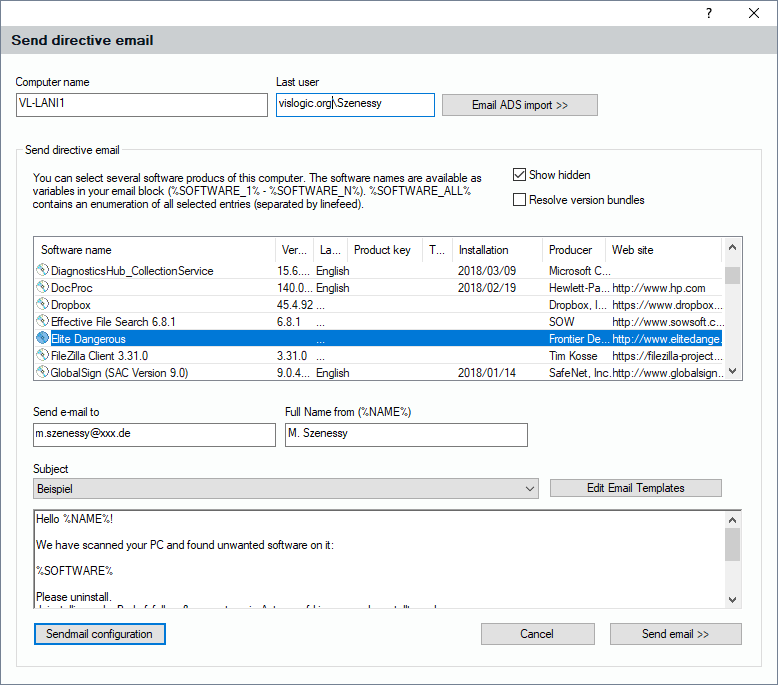
The scan of a PC system usually adds the last user account logged on to that computer to the records (Windows user account). If you are running an Active Directory Server in a domain and if you have sufficient rights, you can click on the button “Send E-Mail”. The system can try to retrieve the corresponding e-mail address from the active directory in order to send a message to the user of the PC. The reason for sending an e-mail to that user may be that he has installed software which is not allowed or does not match compliance standards. The following dialog lets you access pre-defined e-mail blocks you can send to that user. You can also edit those templates if necessary by clicking on „Edit Email Templates”, see 6.3.3.2 Edit E-Mail Templates.
The templates can use certain variables to send individual e-mails. Of course, this only works if you have specified a working sendmail configuration, which can be done after clicking “SendMail Configuration”, see also 6.9.6 Sendmail Configuration.