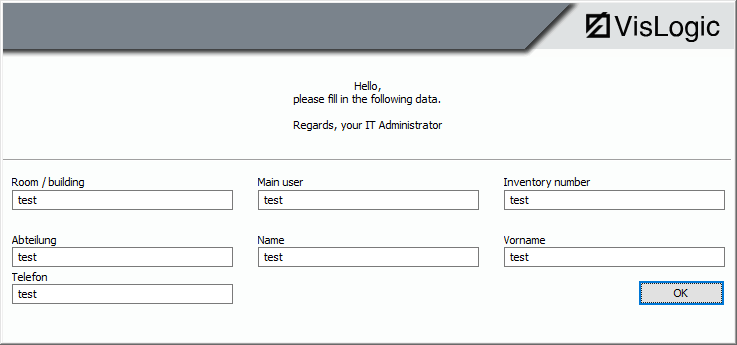
If your users in their local offices are supposed to help fill in the information about inventory, you can use the local popup window. The user of the computer will be prompted to fill in the wanted data. The local window looks like this:
The popup window will contain those data fields you have activated in the configuration of the popup. You can also define any text you like as a welcome or directives to the user. The data fields have the same name as in the data base.
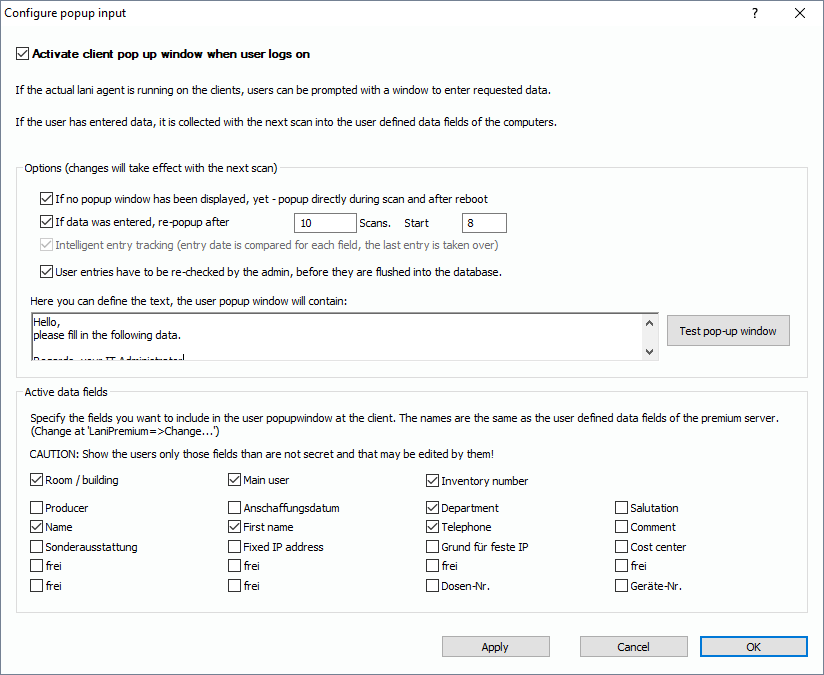
If you have activated the option “User entries have tob e re.-checked…“, the entries won’t be written to the data base immediately. They will be stored temporarily. Only if the administrator re-checks and approves the entries for each computer, they will be written to the inventory data base.
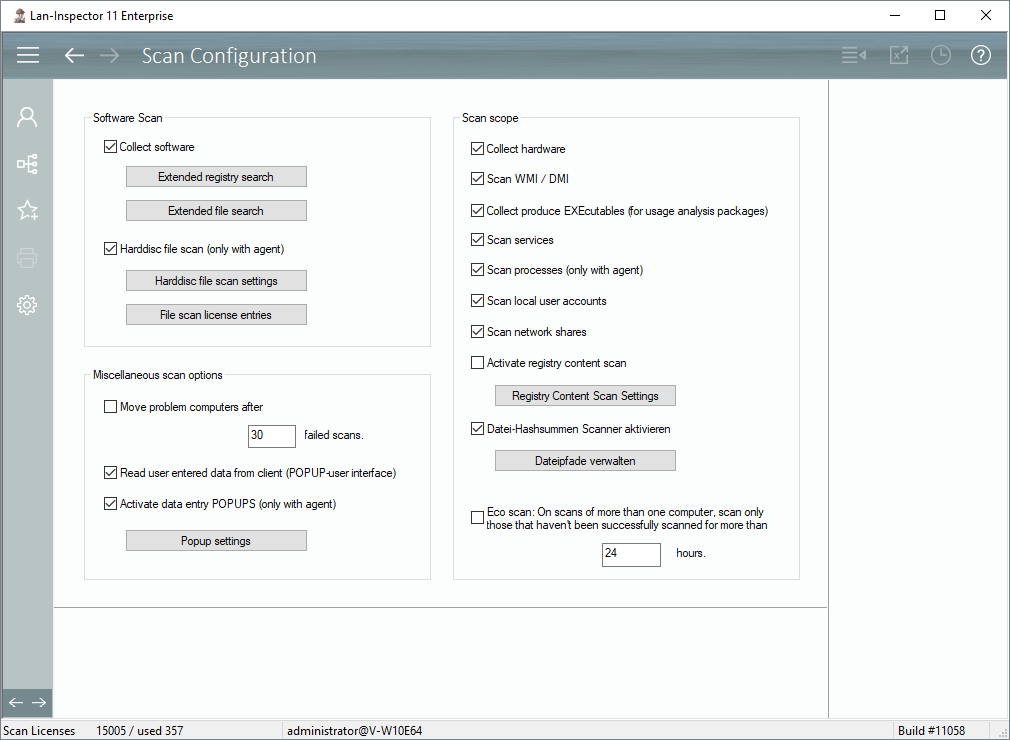
IMPORTANT: The popup functions only work if the registry content scan is not active, see 6.9.1.12 Registry Content Scan Configuration | Menü: Administration and Settings/Scan Configuration:
If a user has entered the wanted data in the popup window, the scan-engine collects it during the next scan of the computer. It collects the data asynchronously, because no user will be fast enough to enter the data in the small amount of time the scan takes. On the first scan, the scanner sends the popup configuration to the client, the user has time to enter the data, and during the next scan, the data will be collected. There are various possibilities you can configure in order to make sure the users will enter the data. If the users didn’t fill in all fields, the popup window will re-appear next time the user logs on to the computer.
A special merge logic will make sure that only the latest data will be collected and be written to the data base. If an administrator enters data manually into the data fields of an object and this entry therefore is newer than the corresponding user’s entry at the client, the system will prefer the newest entry. The logic also makes sure that direct manual entries to the data base will have a higher priority than the client popup entries.