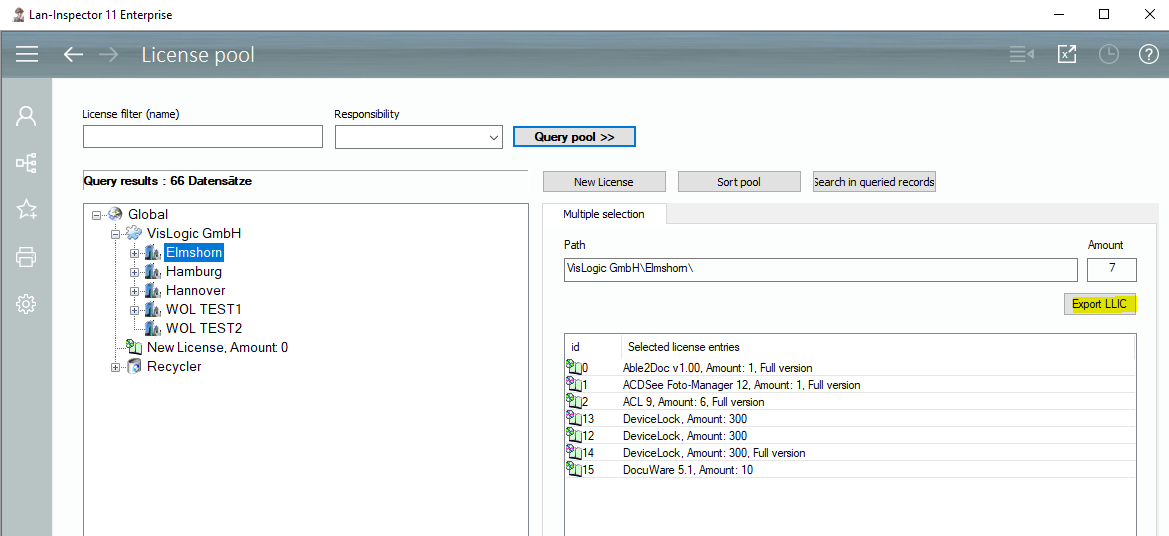
Visit the license pool and query your license record sets, see 6.5.1 License Pool / License Entry | “License+Software Management/License Pool“). Click on a group to receive the list of its license children on the right.
You may notice a button “Export LLIC“. Select the licenses you want to export, click the button, and the system asks for the path of the destination file. Confirm the path and the .LLIC files will be saved in the next step.