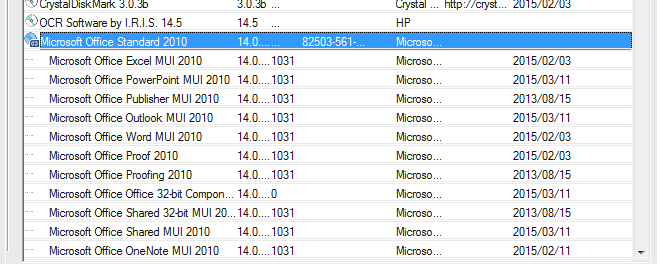
The Lan-Inspector defines package
licenses for all those products that will be installed together with one main
product. For example, if you install “Visual Studio 2017 Professional“, you
have a wild bunch of products that have been installed together with visual
studio (SQL Express and various other things). Looking on the view
“Installed Software in the Network”, nobody will have an answer, where those
products come from, and even less if there are enough licenses for them
available. If products come together with a main license, they are of course
licensed as a part of the purchased product. These additional products are not
supposed to consume licenses in the views. The condition for that is clear: on
the computer with such additional products must be an installation of the main
product that consumes the “main” license.
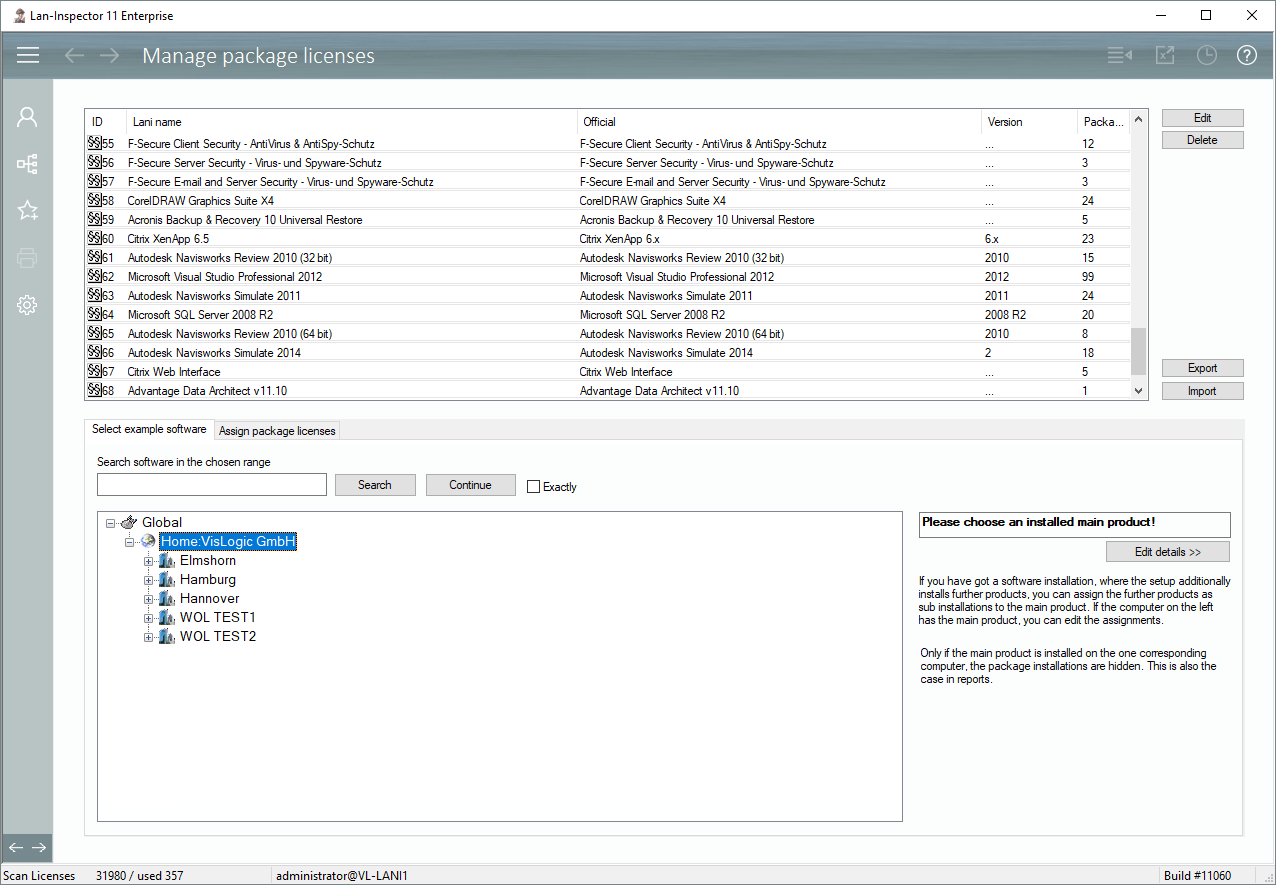
The view “Manage Package Licenses” contains a list of
existing collections at the top. You can use the buttons on the right side or
double-click to view or edit one entry.
Looking at the different views, package licenses will
usually be hidden if the mentioned condition is true. In most cases, you have an
option field that allows you to unhide package licenses.

Some views offer that you can unfold the package licenses,
like the “Object details”. You can click on the + sign to do that.