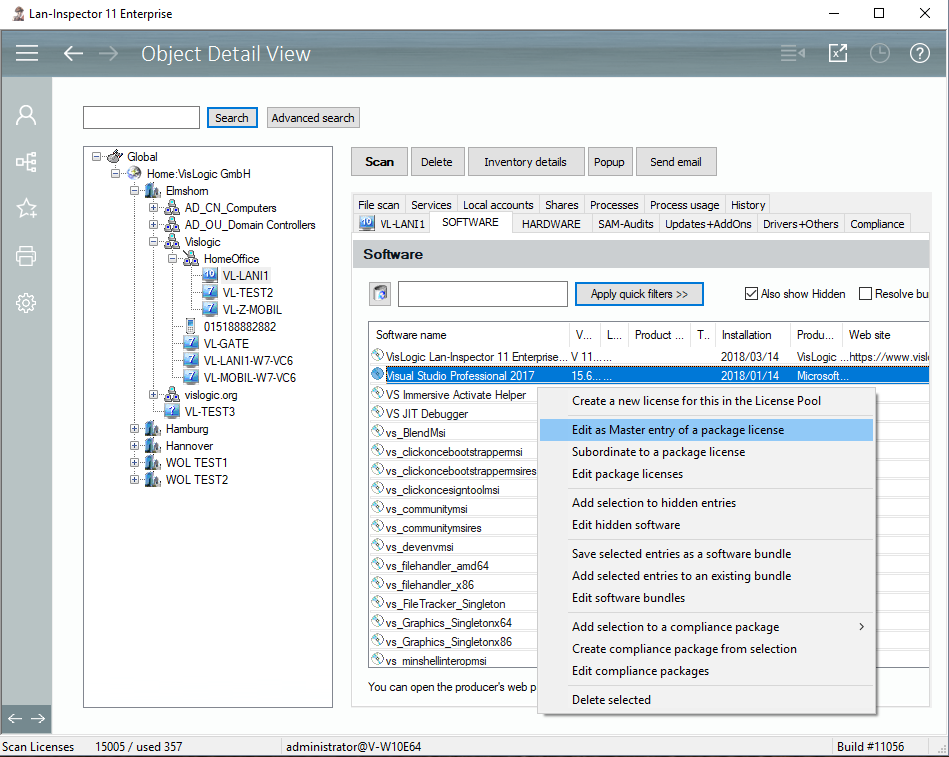
Of course, it would be nice if each installation of a product resulted in only one installed entry in the PC’s software list. Unfortunately, today’s products install a whole bunch of additional products to be able to work properly. If you install a Visual Studio 2015, you can be sure to have about 20 other products in the software list of the PC afterwards. If looked upon themselves, these products need own licenses in most cases. But the license of Visual Studio contains them and makes their appearance legal if you got the main license “Visual Studio”. How can you approach this?
Use package licenses. The Lan-Inspector introduces package licenses as those ones that deliver additional software entries as well during the installation. Visual Studio ist he main license which will be confronted with the number of purchased licenses. If Visual Studio is registered as a main license of a package license, all other products that belong to it will be ignored in license balance. The condition for that is that the main license is installed to the computer. This may be a hint of how complicated the algorithm needs to be. It’s not enough to sum up the installations and confront them. Every PC has to be checked for the existence of main licenses to have the additional ones ignored.
You will find a description how you can edit package licenses here: 6.5.5 Manage Package Licenses. You can also create package licenses from the “Object Details”-view using a context menu: