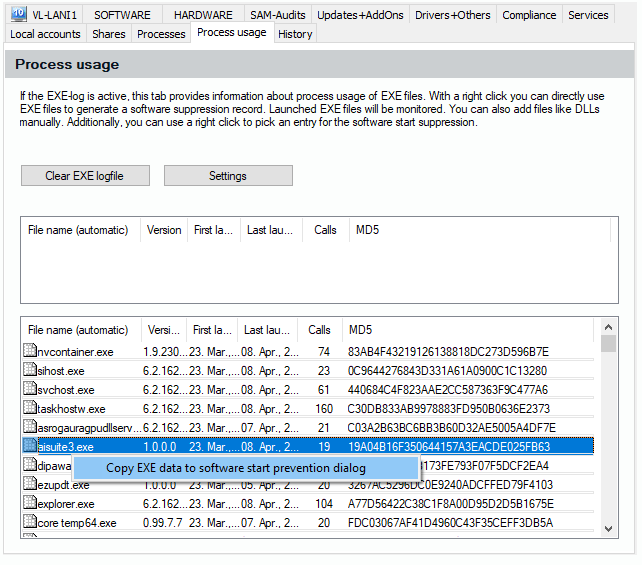
To register a manual Exe via the function of the Exe protocol, visit the view “Object Details” and select the tab dialog “Process Usage”, see 6.3.6 | ”Inventory Management/Object Details“. In case your exe protocol is active, you will see a list of exe files the user has started on the client. You can use the right mouse button to call up a context menu which allows you to take information about an exe to the software start prevention config. To enable the exe protocol (see 6.4.12), visit “Inventory Management/More/EXE protocol“. You can also click on “Settings“ in the process usage tab dialog, see 6.3.6.12.