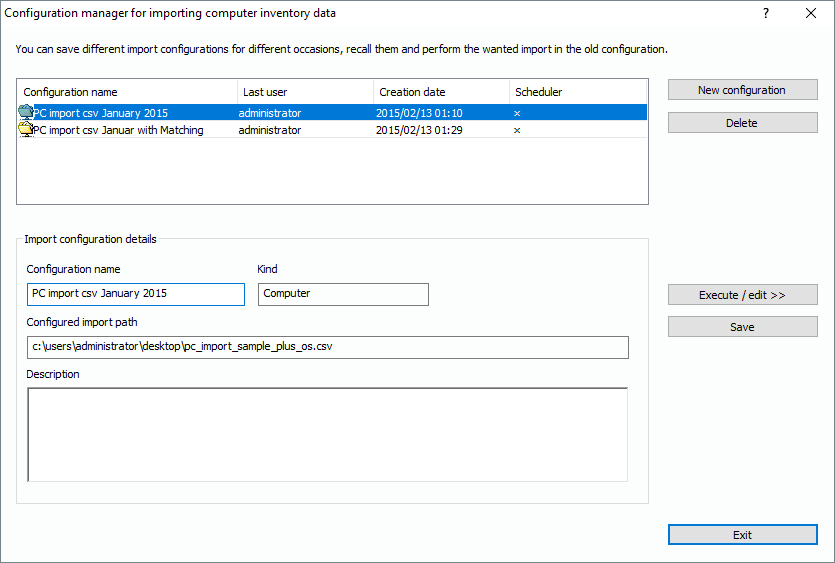
In the moment you call one of the import functions, the Lan-Inspector opens the import manager window. It helps you define and maintain various import configurations for different purposes. You can configure and save the settings for each import and re-call them at any time later.
Depending on the kind of import you are doing, which means what functions you called initially, the window describes the kind of import in the field “Kind”. You can select a configuration record from the list and delete or edit it by clicking the “Delete”-button or the “Execute / edit >>” button. The latter button calls up the configuration in detail, where you also have the possibility to execute the import process.
Click on “New configuration“ to start an empty record you will configure in the next step.