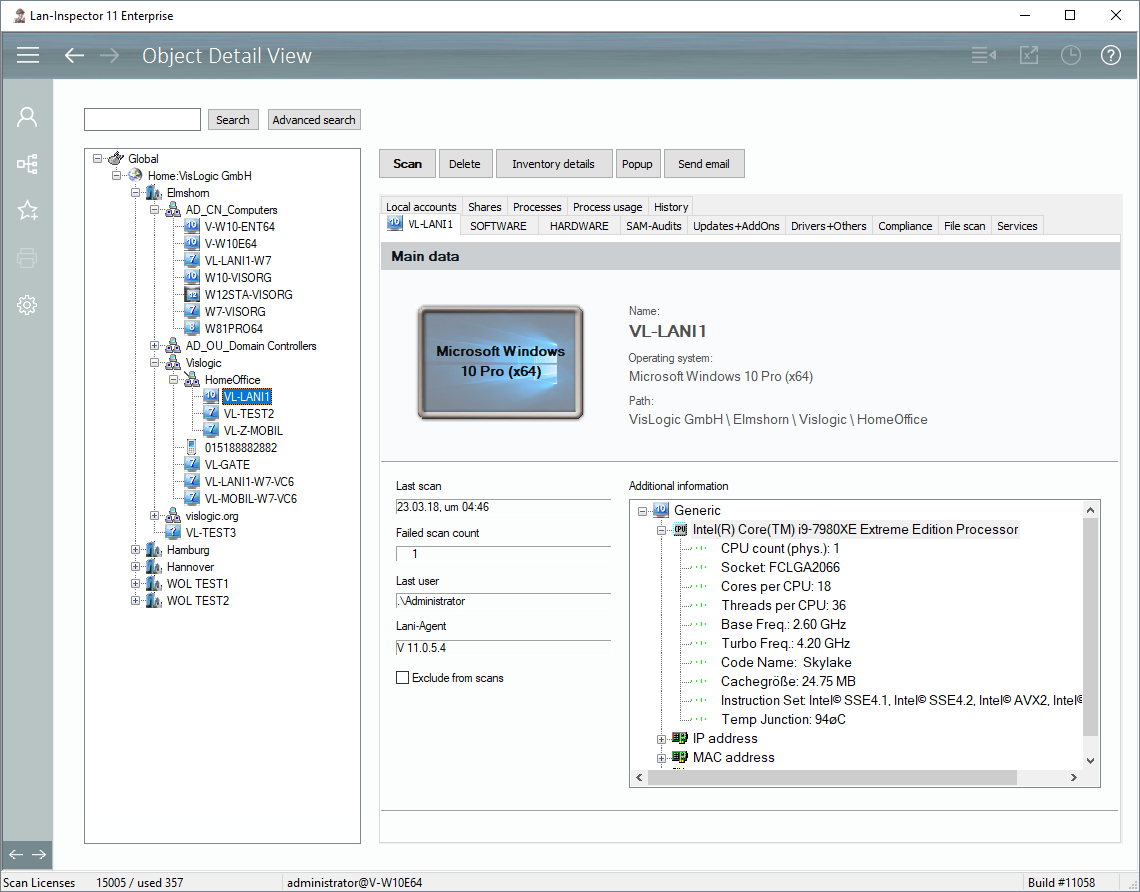
If you want a close look on specific objects, you can use the object detail view. Select an object from your location tree, and all available data will be displayed on the right side. As this view uses the location tree again, you can call up the context menu with the right mouse button as well if you want to scan PCs. The object detail view depends on whether you display the data of a computer object or if it is a user defined inventory object. Inventory objects are instances that derive from inventory classes you can define yourself (like handys or such), see 6.4.5 Define Inventory Classes.